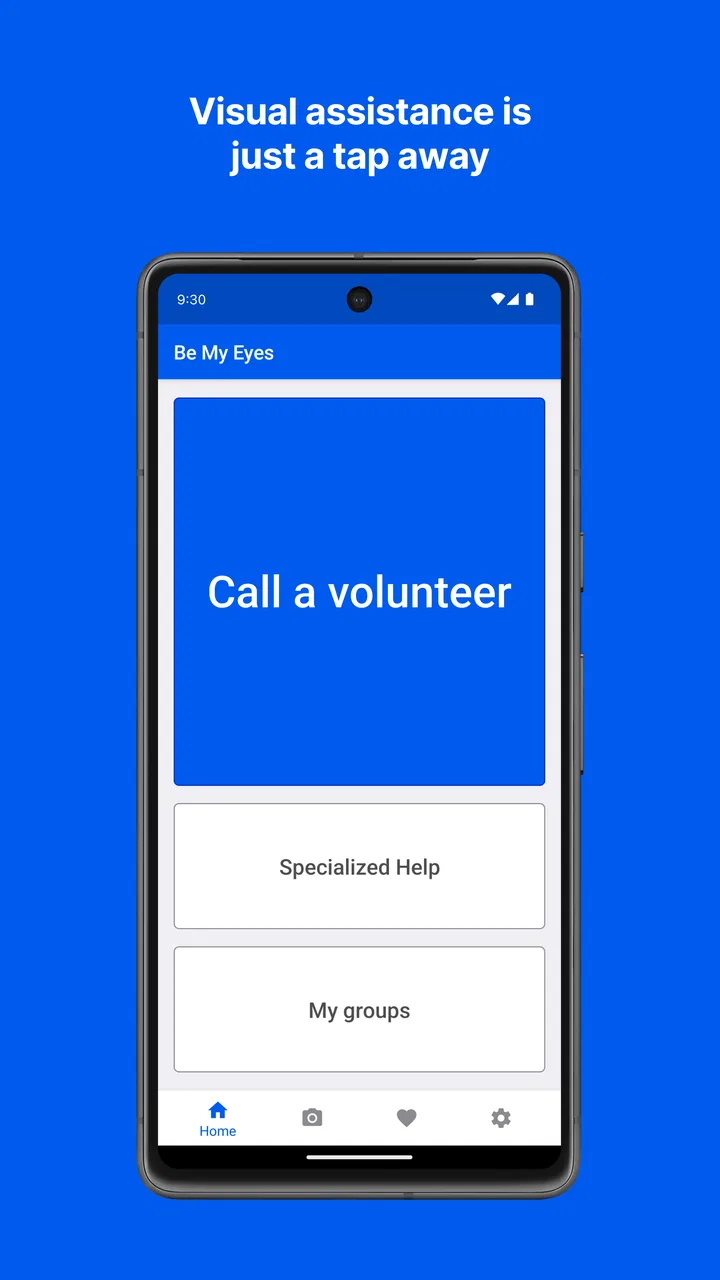
Be My Eyes
- 4.3
- Rating
- 1.00M
- Installs
- Free
- Price

 Analysis by App-foxy
I found Be My Eyes most useful when I treated it as a bridge to another person rather than as an ordinary visual-recognition tool. Its purpose is simple: a blind or low-vision user can seek live help from a sighted volunteer. That sounds straightforward, but the quality of the experience depends on a few practical details that are easy to overlook, especially during the first call or when help is needed quickly.
As a free lifestyle app from Be My Eyes, it has a very different feel from the usual camera utilities, text readers, or object-recognition tools. Those alternatives can be convenient when you want an automated answer, while this app is valuable when a human eye and a little conversation are more useful. I would recommend it to someone who wants an extra layer of independence for everyday visual questions, provided they are comfortable with live assistance and have a dependable way to use the phone.
Where the experience usually gets stuck
The first obstacle is often not the call itself but knowing what to ask. A volunteer can see what the phone camera shows, yet a vague request can make the exchange slower than necessary. Instead of saying that something is confusing, I would describe the exact task: identifying two similar packages, checking whether a button is selected, reading a short label, or explaining which item is on a particular shelf. A clear question gives the volunteer a useful starting point.
You May Also Like

 Blood Strike: 2.5 Anniversary
Blood Strike’s Loadouts Turn Every Drop Into a Tactical Gamble
A close look at Blood Strike’s custom loadouts: how fast access to signature weapons reshapes its battle royale rhythm, rewards preparation, and narrows the gap between fights.

 Pandora - Music & Podcasts
Pandora’s Music Is Easy to Start, but Harder to Recover
Pandora’s strength is its low-effort path from a seed to a station. Its weak spot is how much confidence it asks you to place in connection, setup, and quiet recovery.

 8 Ball Pool
 Is Built on Rivalries, Rematches, and Routine
A close look at the rivalries, rematches, shared routines, and unanswered safety questions that turn a quick pool match into a persistent mobile community.

 Samsung Music
’s Quiet Strength Is Playing What You Already Own
Its reach comes less from spectacle than from dependable access to a personal library. That simplicity is both the app’s strongest retention engine and its ceiling.

 AccuWeather: Weather Radar
AccuWeather Review: A Quick, Clear Forecast for Everyday Decisions
For everyday plans, the best forecast is the one you can understand quickly. AccuWeather makes rain timing, radar, and local conditions easy to act on, with a few trade-offs.

 Hill Climb Racing
Why Hill Climb Racing Still Turns Crashes Into One More Run
A tiny car, a bumpy hill and one more upgrade: Hill Climb Racing keeps resurfacing because its simple chaos makes every near-miss feel personal.
More From Our News Desk



Camera position is another common source of friction. If the phone is pointed too close to an object, the volunteer may see only part of it. If it is too far away, small writing becomes difficult to read. I get better results by holding the phone still for a moment, moving gradually, and asking the volunteer whether the important area is visible before changing the angle again. This is especially helpful with labels, control panels, and small markings.
Lighting can also make a bigger difference than people expect. Glare from glossy packaging, a bright window behind the object, or a dim hallway may prevent a volunteer from distinguishing details. When possible, I move the object or the phone rather than repeatedly asking the other person to guess. A slight change in angle often removes reflections without requiring special equipment.
There is also a social hesitation that can make the app feel harder than it is. Some users worry about interrupting a volunteer or feel they need to apologize for asking a small question. In practice, the call works best when the request is short and specific. The app is designed around assistance, so explaining the situation plainly is more useful than giving a long introduction.
For sighted people, the sticking point is different. Someone may install the app intending to help but not understand that a useful response requires patience and precise descriptions. A volunteer should identify what is visible, avoid guessing when the camera view is unclear, and let the caller decide what information matters. The strongest calls are collaborative rather than rushed.
What to prepare before asking for help
I would keep the phone charged and make sure the camera lens is clean. That advice sounds basic, but a smudged lens can turn printed text into an unreadable blur, and a low battery is particularly inconvenient when the phone is needed away from home. It is also worth practicing the camera movement in a calm setting, before relying on the app for an unfamiliar object or urgent task.
It helps to arrange the physical scene first. If several objects are on a table, separate them enough that the volunteer can tell which one you mean. If you need a label read, place the item on a stable surface instead of trying to hold the phone, the package, and another object at the same time. This reduces shaking and makes the conversation more efficient.
A useful habit is to decide what kind of answer you need. Sometimes the question is identification: which shirt is dark, which container is the right one, or what a symbol represents. Sometimes it is navigation within a small space, such as locating a switch or finding the front of a package. Sometimes you need text read aloud. Stating that goal at the beginning prevents a volunteer from focusing on details that are not relevant.
Setup checks that prevent avoidable problems
When I first prepare an app for live assistance, I check the basics in a quiet place rather than waiting until I am outside. The application is available at no charge and is rated for Everyone, which makes it approachable for a wide range of users. Its listing shows a 4.3 average from roughly 33 thousand ratings, and it has passed the million-install mark, so it is not an obscure experiment with no established user base.
The developer is Be My Eyes, and the app has been available since October 4, 2017. That history matters less than the practical lesson: this is a service people may depend on repeatedly, not a novelty camera filter to open once. I would still test my own phone, connection, and handling technique because a long-running app cannot remove problems caused by a damaged microphone, weak signal, or restrictive device settings.
Before making a call, I would confirm that the phone can capture a clear image and that the microphone and speaker behave normally in another call or recording. I would also check that the phone is not connected to an audio accessory I forgot about. A Bluetooth headset in another room, for example, can make it seem as if the app is silent when the sound is simply being routed elsewhere.
Network conditions deserve a quick check as well. Live visual help depends on communication in both directions, so a connection that is fine for loading a page may still feel unreliable during a conversation. If the image freezes or the audio breaks up, moving to a place with a stronger connection is more sensible than repeatedly changing camera angles.
I would set up the phone so that the camera can be aimed without covering the microphone or lens. A firm grip helps, but a simple resting point can be better for longer tasks. When reading a menu, sorting similar items, or examining several controls, fatigue can lead to more movement and less useful video. A stable position makes the call easier for both people.
Another practical check is privacy awareness. I would avoid pointing the camera at unrelated documents, screens, or people while asking about one object. Before starting, I would frame only the area needed for the question. This is not just considerate; it also gives the volunteer a clearer view and keeps the conversation focused.
How I would use it in an ordinary day
Imagine receiving two packages that feel similar and needing to distinguish them. I would place one package in view, explain that I need the writing or a distinguishing mark identified, and then move the camera slowly enough for the volunteer to read it. After confirming the first item, I would repeat the process with the second rather than presenting both at once in a cluttered frame. That workflow reduces mix-ups and creates a clear verbal record of which item was discussed.
The same approach works for clothing, household controls, food packaging, and unfamiliar objects. I would not expect the volunteer to make a complicated decision on my behalf. Instead, I would ask for observations: what color an item appears to be, where a button is located, or what words are visible. Keeping the decision with the user is important because the person requesting help knows the context and consequences.
For a sighted volunteer, the everyday scenario is equally concrete. If a caller asks about a label, I would read the relevant words slowly and spell an uncertain part instead of pretending to recognize it. If the image is unclear, I would say so and suggest a small camera adjustment. That honesty is more useful than a confident but incorrect answer.
Recovering when a call does not go smoothly
A failed or awkward interaction does not automatically mean the app is broken. I start by separating the problem into image, sound, and connection. If the volunteer can hear me but cannot see the object, I adjust framing and lighting. If the image is present but conversation is difficult, I check the microphone, speaker, and any connected audio device. If both sides are interrupted, I consider the network before changing anything else.
When the camera view is confusing, I reset the scene instead of making tiny corrections indefinitely. I move the phone away, announce what I am showing, and bring it back toward the object at a controlled pace. This gives the volunteer a chance to establish orientation. For text, I try to keep the writing roughly level and avoid casting a shadow across it.
If the caller and volunteer misunderstand each other, I restate the task in one sentence. For example, rather than continuing a broad discussion about a cupboard, I would say that I need the location of the leftmost handle. Narrowing the request can rescue a call that initially felt unproductive.
There is a useful trade-off between speed and accuracy. A quick answer may be enough for choosing between two clearly different items, but a safety-related question deserves slower confirmation. I would ask the volunteer to describe what they see and then verify the exact part that matters. Live human help is valuable, but it is still another person viewing a limited camera frame, not a guarantee that every detail has been noticed.
If the interaction ends before the task is complete, I would first try again only after changing something meaningful: location, lighting, framing, or the wording of the request. Repeating the same setup is unlikely to solve the same underlying issue. I would also keep an alternative plan for important situations, such as asking someone nearby or using an accessible feature already available on the phone.
When another tool may be the better choice
Be My Eyes is not my first choice for every visual question. If I only need a quick automated reading of a familiar type of text, a dedicated accessibility tool may be faster and more private. If I need repeated information from the same screen, an accessibility feature built into the operating system may be more convenient than starting a live exchange each time.
On the other hand, automation can struggle with context, unusual objects, poor lighting, or a question that depends on visual judgment. A human volunteer can respond to follow-up questions and explain what is visible in ordinary language. That is the central advantage here, but it comes with the need to communicate and wait for a suitable interaction.
I would also skip this app as a primary solution if I am uncomfortable showing a live camera view to another person, if my connection is consistently unreliable, or if my task requires professional verification. It should not replace an expert for medical, legal, financial, or safety-critical decisions. In those situations, the app may help describe something, but the final judgment belongs with an appropriate qualified person.
It is also less suitable for users who want a completely silent, offline workflow. The appeal is the human exchange, so someone looking for instant results without conversation may prefer an automated alternative. That is not a defect so much as a clear difference in design and use.
Small habits that make the service more dependable
I would build a short verbal routine: identify the object, state the exact question, show the relevant area, and confirm the answer. This routine is more reliable than waving the phone around while explaining the problem. It also makes it easier to notice when the volunteer is looking at the wrong part of the scene.
For multiple items, I would handle them one at a time and use a simple spoken label such as “first package” or “item on the right.” For controls, I would ask for relative position and then verify by moving the camera slightly rather than assuming the first description was precise enough. These steps sound modest, but they reduce errors caused by clutter and changing orientation.
I would avoid using the app while walking unless the situation is genuinely safe and the phone can be handled without distraction. Stopping first gives the volunteer a steadier view and protects the user from bumping into something while concentrating on the call. The best use of live help is deliberate, not hurried.
For sighted volunteers, the most valuable skill is describing rather than interpreting. “There is a round button below the display” is more useful than “press the obvious button,” because the caller may not share the same idea of what is obvious. Mentioning uncertainty is equally important. If glare hides a word, say that it is hidden and help adjust the view instead of filling in the gap.
My practical verdict
After looking at how it fits into real routines, I see Be My Eyes as a focused accessibility service with a meaningful advantage over ordinary visual utilities: it connects a blind or low-vision user with a sighted person who can respond to the specific situation in front of the camera. That flexibility is why I would keep it available even when I already use automated accessibility tools.
The app is free, aimed at Everyone, and has broad adoption, with more than a million installs. Those details make it easy to recommend as something worth trying, but the real test is personal: can the phone provide a stable view, can the user explain the task, and is a live conversation acceptable for the situation? If the answer is yes, the app can turn many small moments of uncertainty into manageable tasks.
My main caution is to treat every response as assistance, not absolute authority. Check important details, protect unrelated privacy, and use professional help when the consequences are serious. For routine questions such as identifying household items, reading packaging, or locating a visible control, the human connection is often more useful than a generic automated result.
I would recommend installing it before an urgent need arises, practicing with a harmless object, and learning how to hold the phone for a clear view. That small preparation removes much of the setup friction. The strongest reason to try it is not that it replaces every other tool, but that it gives you a practical human option when automation cannot understand the situation.
For me, that makes the app a worthwhile addition to an accessibility toolkit rather than a complete toolkit by itself. Use it when context and conversation matter, switch to an automated reader when speed or privacy matters more, and keep a backup plan for important decisions. Within those boundaries, Be My Eyes offers a thoughtful and genuinely useful way to ask for visual help in everyday life.
FAQs for Be My Eyes
01What is Be My Eyes and how does it work?
Be My Eyes is an innovative app designed to connect visually impaired individuals with sighted volunteers through a live video call. Users can request assistance for tasks such as reading labels, navigating new environments, or distinguishing colors. Volunteers receive notifications and can choose to accept the call to provide real-time help.
02Is Be My Eyes free to use?
Yes, Be My Eyes is completely free for both visually impaired users and volunteers. The app is designed to foster a supportive community, and there are no hidden fees or subscription charges. Its primary goal is to provide accessible assistance through the goodwill of volunteers from around the world.
03What kind of tasks can Be My Eyes help with?
Be My Eyes can assist with a wide range of tasks that require visual interpretation. This includes reading product labels, identifying street signs, setting household items, and more. The app is versatile and can be used for any situation where visual assistance is needed, enhancing independence for the visually impaired.
04How can I become a volunteer on Be My Eyes?
To become a volunteer, download the Be My Eyes app from the App Store or Google Play, and sign up as a volunteer. Once registered, you will receive calls from visually impaired users needing assistance. You can choose to accept calls based on your availability and provide help via a live video connection.
05Is my privacy protected when using Be My Eyes?
Be My Eyes prioritizes user privacy. Calls are anonymous, with only first names visible, and no personal information is shared. Video calls are not recorded, ensuring confidentiality. The app is committed to protecting the privacy of both visually impaired users and volunteers during their interactions.
Pros
- User-friendly interface for easy navigation.
- Connects with a large
- helpful community.
- Free to use with no hidden costs.
- Supports multiple languages for wider reach.
- Quick response time from volunteers.
Cons
- Limited to visual assistance tasks.
- Requires internet for effective use.
- Volunteer availability may vary.
- May not work well in low-light conditions.
- No direct tech support from developers.

Be My Eyes
Gallery